AI Photos at Your Wedding: When Guest Photos Become Works of Art
- Guests turn their own photos into caricatures, watercolors, 3D scenes or comics with one tap – the result appears in the gallery and on the live photo wall.
- The original stays untouched, and every AI image is automatically labelled as such.
- Privacy: the AI runs on our own hardware in Germany – no cloud, no AI training with your photos.
- Included from the Triathlon package; three AI images per guest by default, adjustable by the host.
Contents
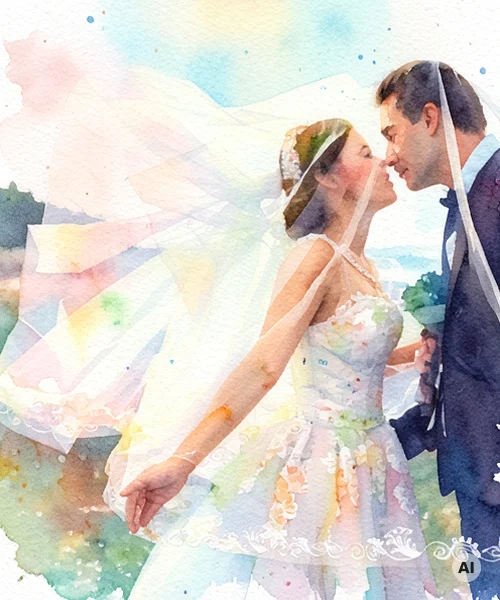
A guest photographs the couple during their first dance, taps their phone twice — and a minute later the photo appears on the big screen as a watercolor painting. No photographer, no editing software, no app: that is the idea behind AI styles for guest photos.
In this article we show how it works, which styles are available, what happens with the data — and why this is more than a gimmick.
Full disclosure: We are the makers of Event Photowall, and the feature shown here is part of our platform. The example images in this article are real results from our AI — not mockups.
What are AI styles?
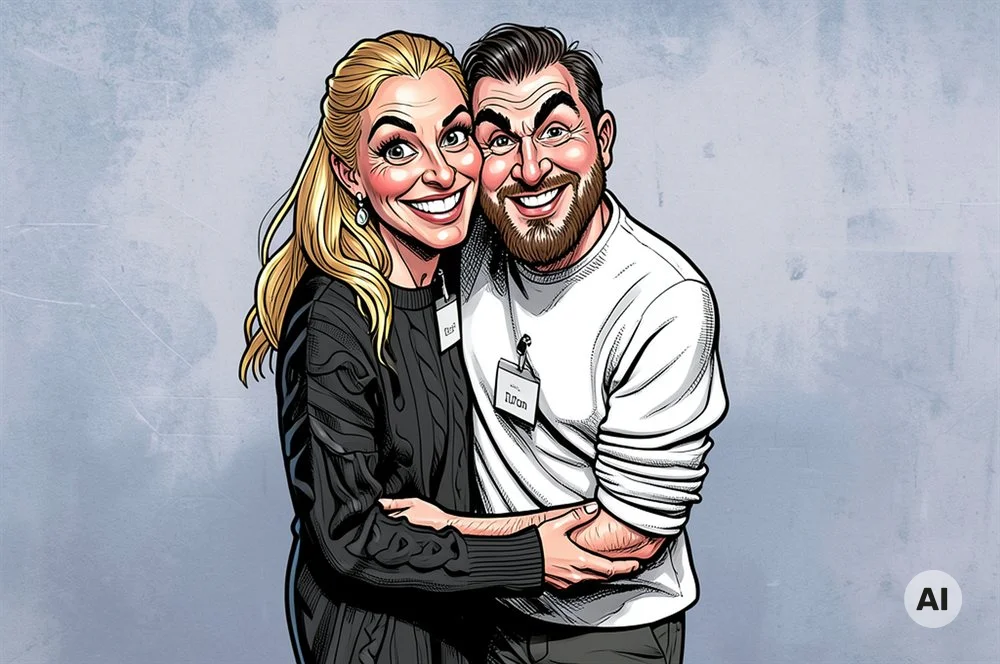
AI styles transform an ordinary guest photo into an artistic image: a caricature with a wink, a delicate watercolor, a 3D scene straight out of an animated film, or a comic panel. One thing to set expectations: this is about artistic transformation, not photorealistic editing — the result is recognizably a work of art and is automatically labelled as an AI image.
The original always stays untouched. The AI image appears as an additional post in the gallery and on the live photo wall — credited to the guest who created it.
Before and after: real examples
This is what it looks like in practice (all images from our demo event, created by our AI):
Caricature — the classic that gets a laugh at every party:
Watercolor — romantic, almost like a painted wedding gift:
3D animation — the whole wedding party as an animated movie scene:
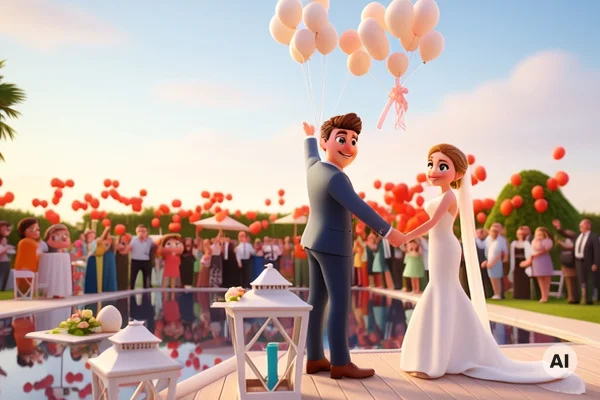
There is also a comic style for all events, additional wedding styles for weddings — and during the holiday season, festive winter and Christmas market styles become available automatically.
How it works for your guests
- Upload a photo as usual: scan the QR code, take a photo or pick one from the gallery — right in the browser, no app needed.
- Choose a style: in the gallery or under "My posts", the guest taps the AI button on their own photo and picks a style.
- Enjoy the result: usually within one to two minutes, the artwork appears in the gallery and on the photo wall. Guests can also download their AI image — a keepsake from the evening.
Each guest has a fixed allowance (three AI images per event by default). That keeps the queue short and makes every image a deliberate choice — which photo deserves to become a work of art?
Privacy: AI without the cloud
The point that matters to us and sets this apart from many AI services: the images never leave our own infrastructure. AI processing runs on our own hardware in Germany — not at a cloud provider, not in the US, and the photos are of course never used for AI training or passed on to anyone.
In addition, every AI image automatically receives a visible label. Nobody should have to guess whether an image is real — that is the kind of transparency the EU AI Act calls for.
Ideas for using it
- As a wedding favor: instead of sugared almonds, every guest takes their own caricature home — downloaded to their phone in seconds.
- As a program highlight: "the most beautiful watercolor of the night" as a small contest — the couple picks the winner.
- At the office Christmas party: in November and December, Christmas styles are available automatically — the team in front of a virtual Christmas market is always a hit.
- For the slideshow flow: artworks sprinkled between real photos give the live wall variety and something to talk about.
Availability
AI styles are included from the Triathlon package upwards (and in our business packages). The host activates the feature with a single switch in the admin area and can adjust the per-guest allowance. You can find all packages and prices on our homepage.
Planning your wedding or an event right now? Take a look at our live demo — a complete sample event to click through.